Blog
Tailscale VPN Support
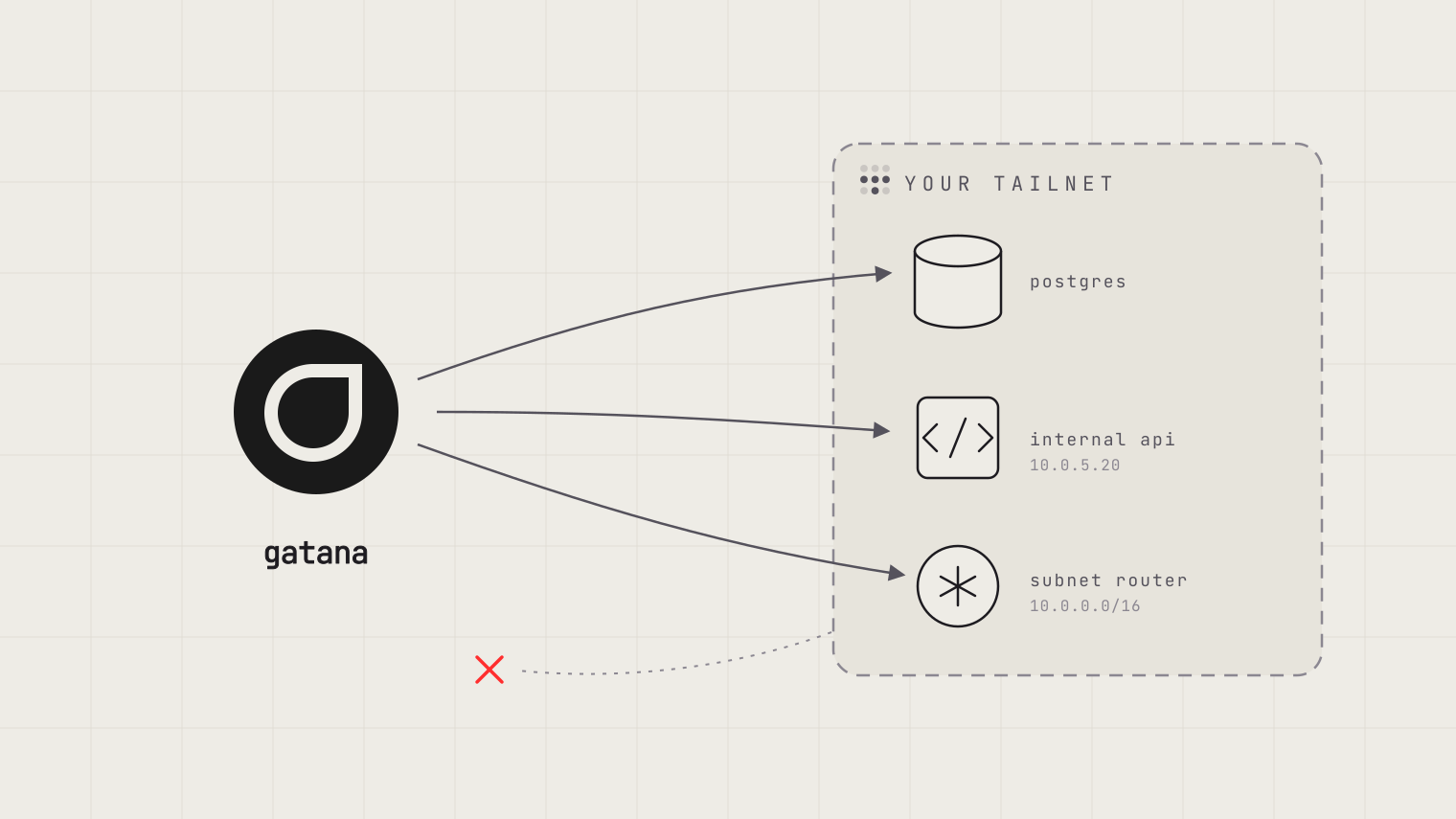
Executable Apps and Runnable Code deployed on Gatana can now join your Tailscale network. The server reaches the databases and internal APIs on your tailnet. Nothing on the tailnet can reach the server.
· Erik Jonsson Thorén, Founder, Gatana
The most useful data is on a private network
MCP servers that Gatana deploys for you (Executable Apps and Runnable Code) run in Gatana’s cloud. The data they exist to serve often does not: a Postgres instance behind a VPN, an internal API on the office network, a test environment the firewall keeps to itself. Until now you had two options, and both traded away the wrong thing. Expose the private service to the internet, or run the MCP server yourself next to the data and give up managed deploys.
Now there is a third option: let the server join your Tailscale network.
One checkbox, one auth key
Open the server’s Settings tab, find Tailscale VPN, and check Connect to your tailnet. Paste an auth key from your Tailscale admin console, and optionally a machine name (the default is gatana-<server-slug>). The server restarts once to join. From then on it appears in your admin console as a machine, and your private hosts are one socket away.
Connections go one way
The server can open connections to hosts on your tailnet, and to the networks your subnet routers advertise. That is the whole grant. Nothing on the tailnet can open a connection to the server: it does not advertise routes, cannot act as an exit node, and cannot publish anything with tailscale serve.
Scope the rest with the key. Tag it, and give the tag only the access the server needs. An MCP server often runs third-party code, and on the tailnet it reaches exactly what its tag is allowed to reach. Grant it the one database port it is there for, not your whole network.
The tunnel itself belongs to the platform, not to your code. It runs beside the server, and the machine’s node key and control socket are never visible to the code inside. A misbehaving dependency cannot impersonate the machine or reconfigure the tunnel.
Your code does not change
The tailnet is attached as a real network interface, not as a proxy. There is no SOCKS endpoint to configure and no proxy environment variable that your HTTP library has to honor. Plain sockets work, so plain database drivers work:
// A Postgres server on your tailnet, by its Tailscale address
const db = new Client({ host: '100.101.102.103', user: 'reader' });

// Or a host behind a subnet router, by its address on your own network
const res = await fetch('http://10.0.5.20:8080/internal/api');
MagicDNS names need one extra step: the server keeps Gatana’s own name resolution, so ask the tailnet resolver at 100.100.100.100 for those names directly, or simply use addresses. The environment variable GATANA_TAILSCALE is set to true when the tailnet is attached, so code that runs both with and without it can tell the difference.
The key is spent once
The auth key registers the server one time. After that the server keeps its machine identity across restarts, redeploys, and idle stops; it does not care that the key expires later. Three properties of the key matter:
| Property | Why |
|---|---|
| Tagged | The tag carries the ACLs, and a tagged machine gets key expiry disabled by default. |
| Not ephemeral | Gatana stops idle servers, sometimes for a long time. Tailscale removes an ephemeral machine that stays offline, and the removal throws the identity away. |
| Reusable (optional) | Lets the server register again by itself if you remove its machine from your admin console. |
Pasting a different key makes the server rejoin as a new machine; remove the old one in your admin console. The key is stored encrypted, like the rest of the server’s transport configuration.
You can watch it join
The tailnet comes up before your server starts, so the server’s first connection already works. The Deployment tab shows the Tailscale tunnel as its own entry next to your server, with its own logs. If a deployment never finishes starting, the cause is almost always the key (expired, already spent, or ephemeral): check the tab, then paste a fresh one.
The fine print
- Remote HTTP and OpenAPI servers run outside Gatana, so this setting does not exist for them.
- A server on the tailnet stops its old instance before the new one starts, so a redeploy pauses the server for a moment. Two instances cannot share one machine identity.
- If the tunnel restarts on its own, open connections through it break and your server has to reconnect.
- The machine identity is a small volume, listed on the Storage page as “Tailscale identity”. It does not count against your storage quota. Turn Tailscale off and the identity is kept for 50 days, in case you turn it back on; the machine in your admin console is yours to remove.
- Tailscale is included in the Gatana cloud service. A self-hosted installation offers it only when it is configured for it.
Getting started
Create a tagged, non-ephemeral auth key in your Tailscale admin console, open Settings → Tailscale VPN on a server you already have, and paste it. The Tailscale documentation covers the key properties, MagicDNS, and troubleshooting in detail.