Blog
Gatana adds support for skills-over-MCP (SEP-2640)
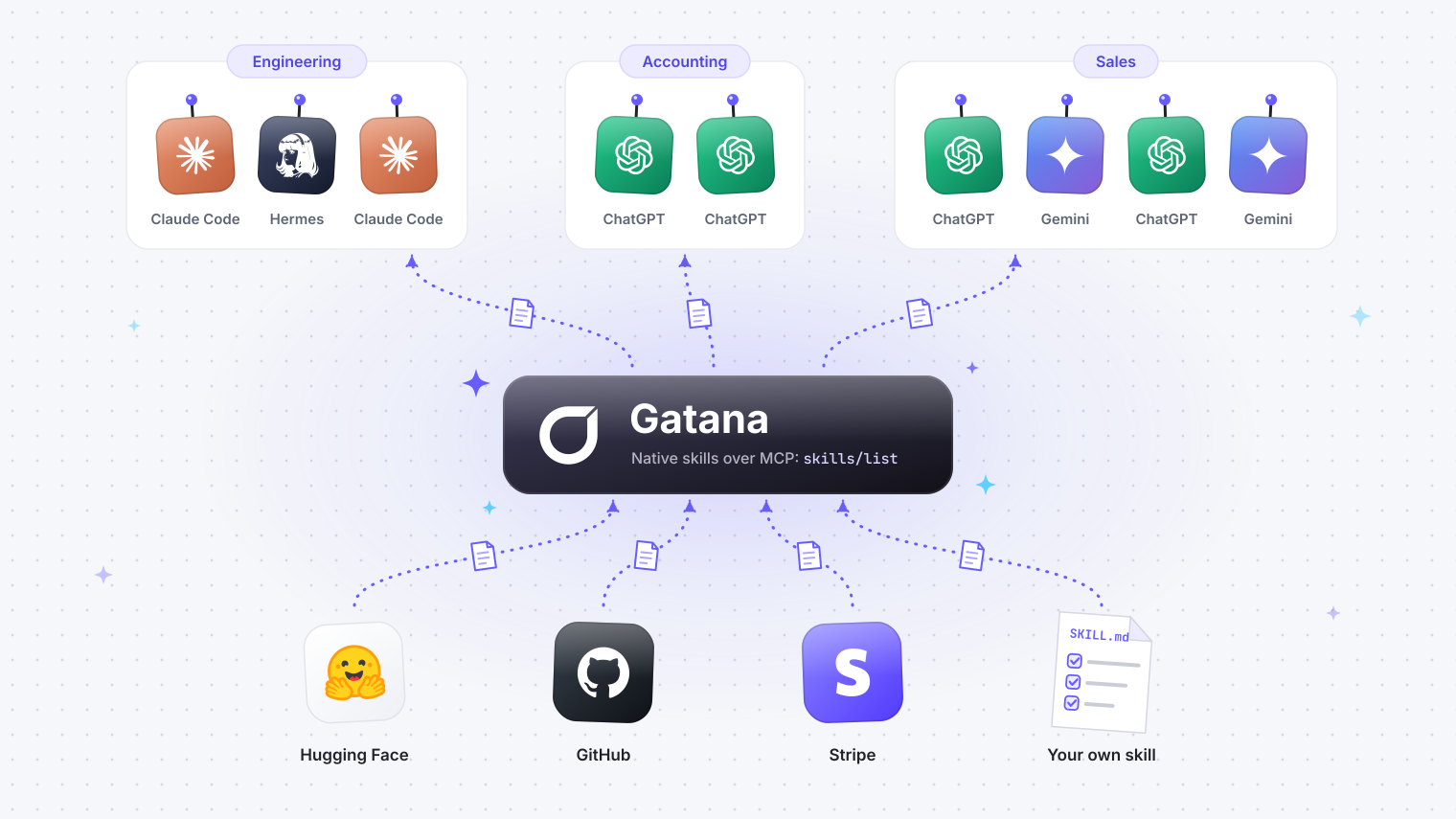
Agents can get skills from your team, connected MCP servers, and Gatana through one connection. You can also attach your own skill to a server so the people who use its tools can read it.
· Erik Jonsson Thorén, Founder, Gatana
Ask an agent to fix stuff and open a pull request. How does it know how to do it?
The agent can use a GitHub tool to open the pull request. A skill tells it which checks your team runs first and what reviewers expect in the description. The instructions go in a SKILL.md file. You can put a template or other supporting files in the same folder.
No more hooks, plugins to manage or manual distribution
If your agent supports the MCP Skills extension, it can get skills through the same Gatana connection it uses for tools. It calls skills/list to see which skills you can read, then uses resources/read to fetch the files it needs. MCP Skills extension (SEP-2640)
Give the right skills to the right people
Controlling can give its agents a guide to explaining why spending differs from the budget. Ad ops can teach an agent what to check before a campaign goes live. IT support can show it how to help someone who is locked out. Engineering can share how it reviews and releases a change.
The people who do the work can decide what their agents should know. A new colleague can start with the skills their team already uses. And when a practice is useful across departments, the team can share it with the whole company.
Where the skills come from
Your organization. Write a skill in Gatana or upload an existing folder with gatana skills push. Gatana stores the files and gives each agent access to the skills its user can read. You can share instructions with the whole organization or with selected people and teams.
Upstream MCP servers. A server can publish its own skills. For example, a search server could ship a guide to writing queries. Gatana picks up the list when it refreshes the server’s tools and fetches the files from that server on request. You can see what the server publishes in its Skills tab and control forwarding with Enable Skills in its settings.
Gatana Built-in. The gateway ships with its own gatana skill. It teaches agents how to connect a server, set up a profile, and configure credentials. It comes with the gateway release and is available to every organization. Gatana skill on GitHub
Skills can piggy-back the existing server permissions
Say you have a GitHub server for your engineering team. Write a pull-request-checklist skill that tells the agent to link the issue and include the tests it ran. Attach it to the GitHub server in Gatana. People with access to that server can now read the checklist. When a new teammate gets server access, their agent automatically gets it.
Use skills with your agent
If your agent supports the Skills extension, connect it to Gatana and try a task that matches one of your skills. Connect an agent to Gatana
If your agent does not yet support the SEP extension, you can consume skills with hooks: run gatana skills install.